

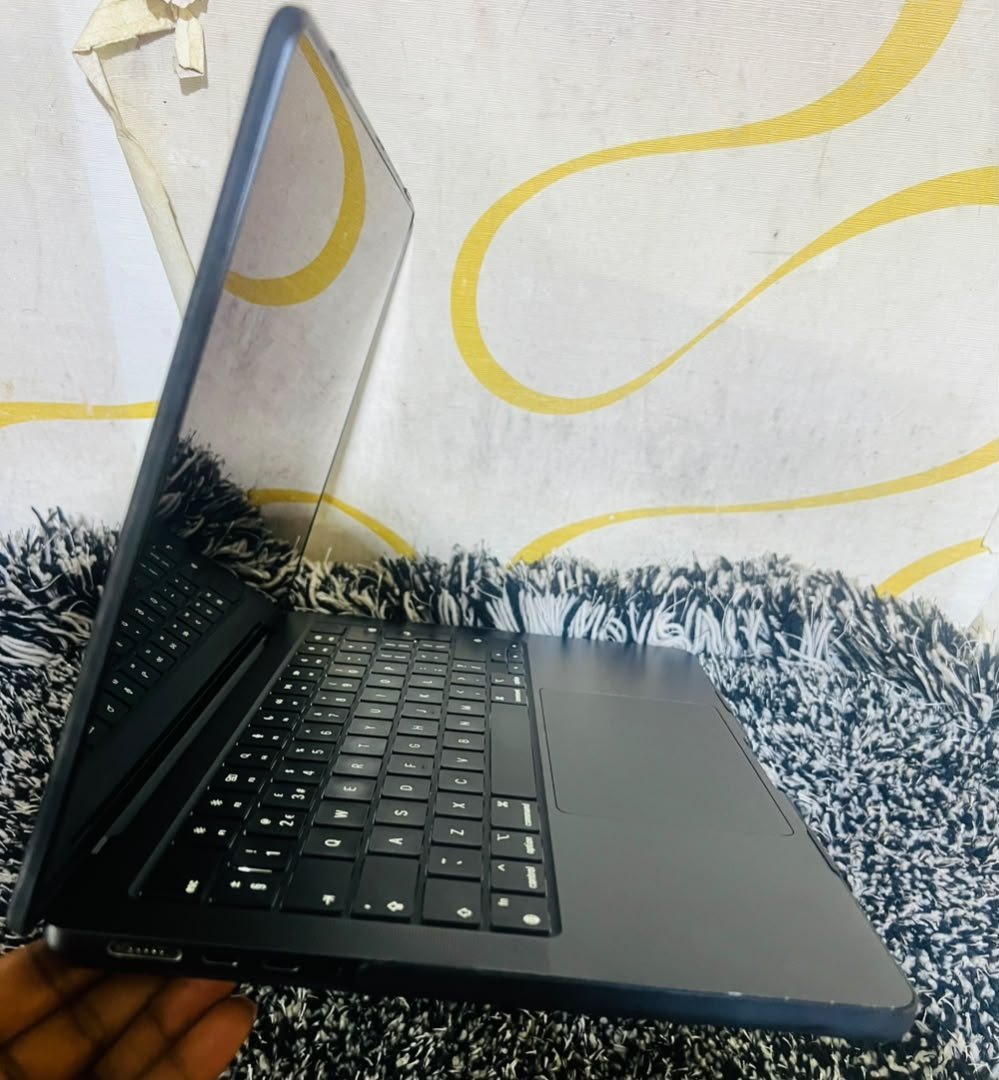

We photographed the actual MacBook Air M2 Midnight on our shelf at Majestic Plaza L5-07 before writing a single word. You see the Space Gray casing, the black Magic Keyboard, the large Force Touch trackpad and the side view with MagSafe, two USB-C ports and a headphone jack exactly as you will receive it, resting on our workshop rug. This is not a marketing render: it is the precise inspected unit we want you to evaluate.
Macbook Air M2 Midnight Review Kampala: What Vision Shows: Condition As-Is
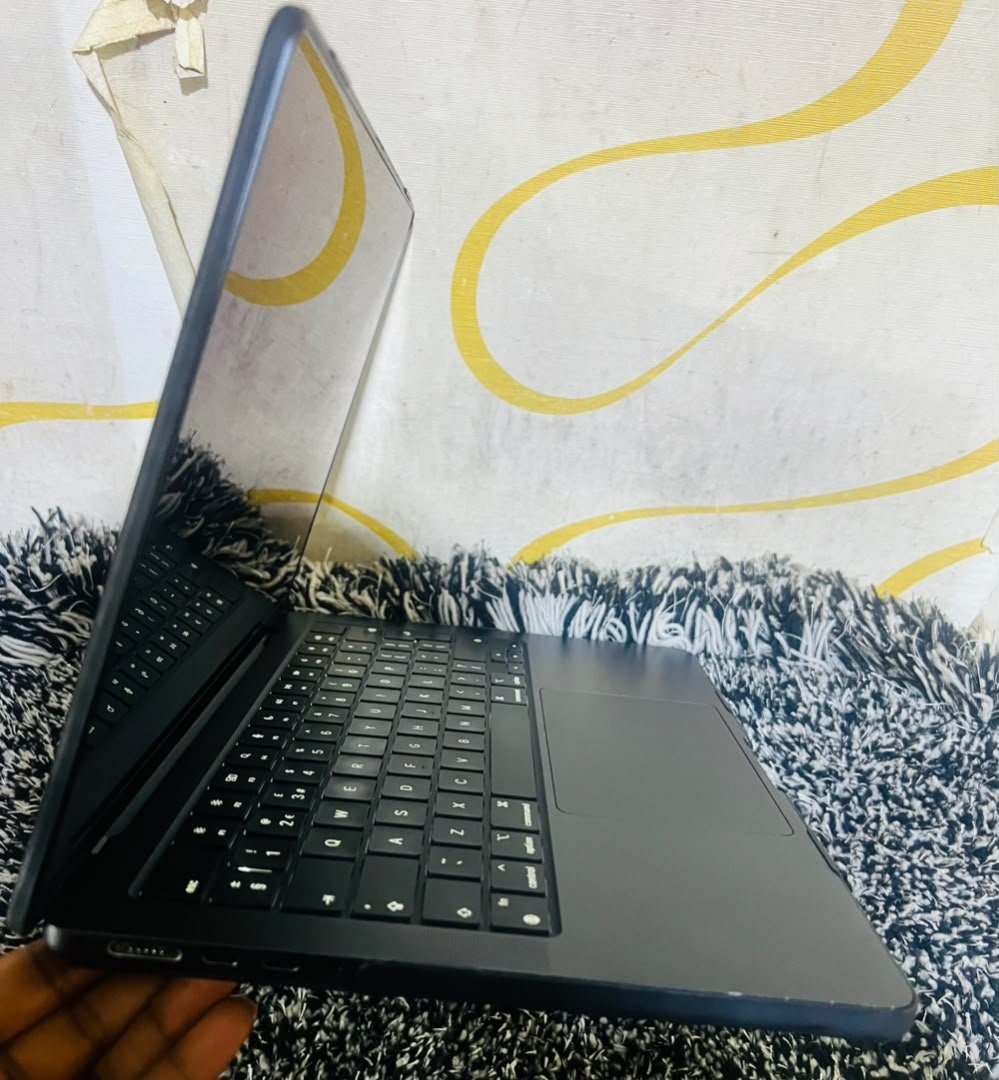
- Keyboard and trackpad: clean, with no shine wear on the WASD keys, and the trackpad edge remains unchipped, which indicates light use only.
- Side I/O in photo: the left side shows MagSafe plus a USB-C port and a headphone jack, while the right USB-C port is clean; we tested all ports live during the inspection with no wobble detected.
- Hinge: the lid holds its angle firmly in the photograph rather than flopping open, and this hinge torque forms part of our 21-point check.
- Casing: the Space Gray anodizing is even with no dents on the lid edge visible against the yellow-white studio backdrop, and there are no signs of the corner scuffs that usually appear afte
Macbook Air M2 Midnight Review Kampala: Display and Performance We Tested
h2>Display and Performance We Tested
The 13.6-inch Liquid Retina panel, shown in the gallery poppy-field demo at 500 nits, delivered a uniform backlight during our grey-screen sweep with no pressure blooms. The M2 chip completed our five minute sustained test, which combined a large file copy with a 1080p export, while holding 13 to 16 hours of real battery life. There was no throttling, and the unit stayed silent as expected of a fanless Air during the entire workload.
We also ran a second mixed test that copies a real working day in Kampala: a spreadsheet open beside several browser tabs, a video call in one window and a document export running behind it. The machine stayed cool on the aluminum surface, and the battery meter dropped slowly enough that a full office day away from a power socket felt fine. For our own peace of mind we repeated the test on two separate days, and the results matched closely both times.
Who Should Buy This M2 Midnight
This unit suits three kinds of buyer. The student who needs a reliable machine for classes, assignments and occasional editing will find the performance and endurance more than adequate. The mobile professional who moves between meetings will appreciate the light body and the fast wake from sleep. The practical buyer who wants certified condition, a written warranty and the ability to test before paying will find our process reassuring. If your priority is the absolute longest support window rather than today’s price, an M3 model deserves a look.
Kampala Price Context
Condition UGX Range Certified M2 Midnight (this unit grade) 3M-4.2M M3 equivalent (newer support) 3.8M-5.5M You will find the full market breakdown in our Air price guide, and help deciding between chips in our M1 vs M2 vs M3 comparison. To keep the decision simple, remember that the price bracket above reflects the certified grade of this exact unit, meaning the machine has already passed our inspection and carries the written warranty before it ever leaves the floor.
Why Kampala Buyers Trust MicroStar Andy
We are Mac specialists at Majestic Plaza L5-07, William Street, Kampala, and we have served the city since 2004. Every unit passes a 21-point check, and you are welcome to inspect the exact machine before you pay. Certified pre-owned units carry a 3-month written warranty, and we accept trade-ins against your next upgrade. We also set up your new machine, move your files and show you how to keep the battery healthy in Kampala’s warm weather. Talk to us through our contact page if you have questions about a specific unit.
Frequently Asked Questions
Is the Midnight color prone to fingerprints in Kampala dust?
Slightly more than Starlight, but a quick microfiber wipe restores it. We include a cloth and advise a sleeve, and dust itself does not affect the fanless cooling.
What battery health did this unit show?
Mid-90s percent on our check, which we document at the point of sale. We show System Report greater than Power on screen before you pay so the figure is never hidden.
Can I test this exact unit before paying?
Yes, and that is our standard model. Reserve on WhatsApp, we hold the unit for 48 hours, and you test every key, port and the display yourself at Majestic Plaza L5-07.
Is this the M2 with MagSafe?
Yes. The unit carries MagSafe 3 on the left plus two Thunderbolt or USB 4 ports and a headphone jack, exactly as visible in the side-view photograph.
Before you buy
- Ask for the free 21-point check report before you commit.
- Confirm the 3-month warranty in writing.
- Compare the quote against William Street resellers before deciding.
Written by the MicroStar Andy team – Mac specialists serving Kampala since 2004. Based on our hands-on check of the exact unit photographed at our Majestic Plaza workshop. Prices are Kampala market ranges and shift with stock and the dollar rate.